
Clinic appointment scheduling in Libya: a clearer routine for reception
Clinic scheduling software helps reception reserve time with the right doctor and keep a shared appointment list. Numoo supports routine appointment booking, calendars and booking messages. It is not an electronic medical record, a diagnostic tool or an emergency-care service.
Before you start
- Make doctor availability and consultation duration explicit.
- Keep reception and online appointments in one schedule.
- Use booking contact details for scheduling; keep clinical records in an appropriate clinical system.
Describe the appointment without asking for a medical history
Patients should understand the appointment category, location, duration and price before choosing a time. A general consultation and a follow-up can have different scheduled lengths. The clinic decides those timings based on its actual operation.
A public appointment page should not invite diagnoses, test results or detailed health histories into ordinary booking fields. Scheduling only needs the information necessary to identify and arrange the visit. Use the clinic’s appropriate process for clinical information.
Build calendars around who can actually see the patient
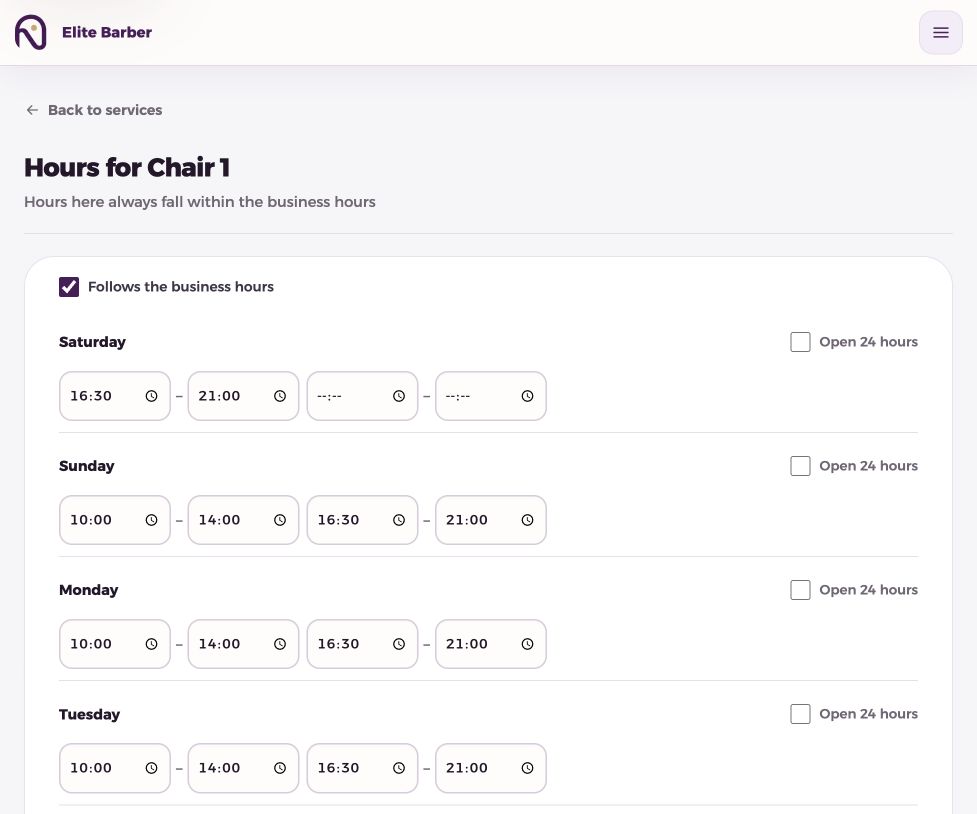
Set the relevant doctor or dentist calendar, working hours and closures. Link each appointment service to eligible resources. A doctor’s clinic session changing from morning to afternoon must be reflected in availability before new times are offered.
Example only: a two-hour clinic session with 20-minute appointment slots creates six slots before breaks. If you reserve 20 minutes for a break, only five of those slots remain available. This illustrates capacity; it is not a recommended medical consultation length.
| Reception task | Scheduling action |
|---|---|
| Doctor changes working hours | Update the relevant resource calendar |
| Clinic closes for a day | Record a closure |
| Patient phones to book | Create the appointment in the shared schedule |
| Visit finishes | Update the booking status accurately |
Make the reception handover repeatable
The next receptionist should be able to read the day board without piecing together several personal messages. When an appointment moves, update the booking itself so the schedule reflects the new time.
SMS confirmation and reminder messages support the appointment workflow, but message delivery and patient attendance are separate events. If a patient phones with a question, verify the booking through the reception process rather than sharing private management links broadly.
- Review the day’s appointments before opening.
- Record phone reservations before promising the time.
- Check the existing booking before making a change.
- Use the correct access role for each team member.
- Mark completed visits and no-shows at the end of the session.
Keep service reporting separate from medical outcomes
Booking counts, no-shows and scheduled booking value can help the clinic understand reception workload. They do not measure clinical quality, treatment success or patient health outcomes. A booking-value figure also does not establish that fees were collected.
Customer names and phone numbers belong in the controlled booking workflow. Public marketing analytics should not receive patient contact details, appointment-management tokens or clinical information. Do not assume a general booking product provides every compliance capability a healthcare practice may require.
Start with routine appointments and check the boundaries
Pilot one well-defined appointment category with the reception team. Test the visible times, service descriptions, changes and SMS wording with authorized test data. Cancel the test booking before sharing the link with patients.
Keep a clearly communicated route for urgent needs and telephone assistance. A web calendar is for scheduling; it cannot triage symptoms or determine whether a patient can safely wait for an available slot.
Common questions
Can different doctors have different hours?
Resource calendars can hold individual hours and closures. Configure the doctor/resource associated with the service and verify the resulting availability.
Is this an electronic medical record?
No. These capabilities concern booking and reception. Clinical notes, diagnoses, prescriptions and investigations belong in a suitable clinical-record workflow.
Can patients use it for urgent help?
The booking page is not an emergency or triage service. The clinic should state its appropriate urgent-contact process separately.
Put it into practice
This guide describes current product behaviour. Worked examples are illustrative, not customer results or performance guarantees.
Open the illustrated steps in the product guideMake the next step a practical one.
Set up one service and a clear schedule, then start with your business link.
Start your business page