Choosing a booking platform in Libya: a practical business guide
An online booking link gives customers a page where they can choose a service and an available time without waiting for a reply. In Numoo, the business sets services, prices and availability; the customer books in a browser and receives an SMS confirmation. Payment is handled in person.
Before you start
- Keep one shared schedule for online and reception bookings.
- A link works alongside WhatsApp and Instagram; customers do not need a new app.
- Measure actual bookings in the business dashboard and website visits separately.
What makes the best booking platform in Libya for your business?
The best choice depends on how your business takes appointments. A salon needs staff schedules and treatment durations; a clinic needs a clear reception calendar; a trainer may need group capacity; a court needs hourly reservations. Test your own workflow before choosing a platform.
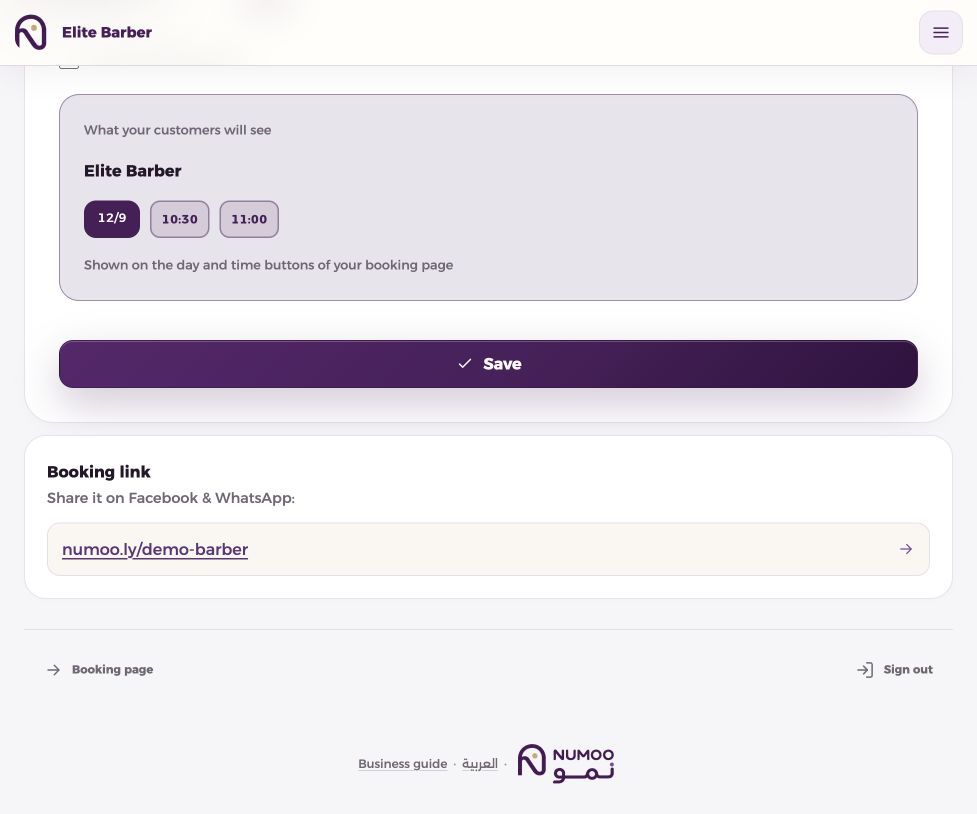
Numoo is an Arabic and English booking platform for businesses in Libya. Customers book in their browser, while owners manage services, availability, customer contact details and booking reports. It suits businesses that arrange payment at the visit; online payment collection and deposits are not currently enabled.
| Check before choosing | Try this in Numoo |
|---|---|
| Customer experience | Open a business link on a phone and complete a booking without installing an app. |
| Language and communication | Check Arabic and English service names and verify SMS delivery on the customer’s operator. |
| Scheduling | Try a staff appointment, a capacity-limited class or a rental with the duration you actually sell. |
| Extras and promotions | Add an optional extra and preview an automatic discount on a selected service. |
| Customer records and reporting | Review contact details, booking history, cancellations and the reporting period you need. |
| Payments | Confirm your collection process: Numoo currently records booking value, with payment arranged at the visit. |
What changes when you use a booking link?
A message such as “Are you free at six?” is a conversation, not a reservation. If two people answer different chats, both can promise the same time. A booking system gives the team a shared record of which service, time and resource a customer has reserved.
You can keep using WhatsApp to answer questions and Instagram to show your work. Put the booking link in your profile and saved replies so that routine time selection moves to a page with current availability. The link supports the conversation; it does not automatically read or answer messages for you.
| Task | Messages alone | A shared booking page |
|---|---|---|
| Choose a time | Ask and wait for a reply | Choose from available times |
| Check a price | Request the current price | See the service price before confirming |
| Change a booking | Find the original conversation | Use the booking-management link, subject to the business rules |
| Review the day | Compare several conversations | Open the day board |
Set up one reliable service before sharing widely
Start with a service whose duration you understand. A 30-minute appointment and a 90-minute rental need different availability rules. The calendar must also reflect the actual person, room or court that delivers the service.
Example only: a barber offering 30-minute appointments from 16:00 to 18:00 has four start times before breaks or existing bookings. Adding a second chair only adds capacity if somebody is actually available to work on it. A digital calendar cannot create extra staff.
- Add the service name, duration and price in LYD.
- Add the relevant staff member, room or asset and set working hours.
- Record breaks and closures before opening the link.
- Test the customer flow and confirmation on an authorized test number, then cancel the test booking.
- Share the same link in the profile, a saved reply and any printed QR code.
Bring reception bookings into the same schedule
A customer who phones or arrives at the desk still needs a booking in the system. Record that appointment before promising the time. Otherwise, the online page can correctly offer a slot that the team has already promised offline.
Give each team member the access they need for their work. At the start of the day, check the agenda; at the end, mark completed appointments and no-shows accurately. These small habits make the customer history and weekly figures useful.
Keep customer information useful and limited
Numoo keeps customer names, mobile numbers and booking history inside the business workflow. That helps reception find an existing customer and understand past visits. A number supplied for a booking is not automatically permission for promotional messages.
Website analytics answers a different question: which public pages attract interest? It should not receive customer contact details or private booking links. Use the owner dashboard for operational records and public-site analytics for marketing performance.
Review the first week before changing everything
Check how many bookings came through the public page, how many the desk recorded, and whether the displayed durations matched the work. Ask the team which questions customers still needed help with. Fix unclear service names or missing availability before buying more traffic.
The goal is a schedule that people can trust. More bookings, fewer missed appointments and less administration are outcomes to measure over time, not guaranteed results of publishing a link.
Add-ons and discounts without changing the appointment
Use an add-on for an optional product or extra that does not take appointment time. It has its own price and quantity. If a choice needs more time, create a suitable service instead.
For promotions, select services in Discounts, choose a percentage or fixed amount and optionally schedule the offer. It applies automatically when an eligible booking is made, not based on the appointment date. The best offer wins without stacking; extras keep their own prices and confirmed bookings retain their saved prices.
Common questions
Does the customer need an app or an account?
The public booking flow works in a browser without creating a customer account. The business owner signs in to manage the schedule.
Can I keep taking bookings by phone?
Yes. Record phone and walk-in bookings in the same system so online availability reflects the real schedule.
Does the booking link collect online payments?
The current flow tells customers to pay in person. A booking confirmation is not proof that money was collected.
Put it into practice
This guide describes current product behaviour. Worked examples are illustrative, not customer results or performance guarantees.
Open the illustrated steps in the product guideMake the next step a practical one.
Set up one service and a clear schedule, then start with your business link.
Start your business page